Moving Off Northflank After the Security Incident: A Simple Guide
On this page
On 30 October 2026, Northflank disclosed a security incident. Its status page told customers to “Assume all environment variables have been decrypted. Disable/rotate all keys.” It later wrote that users had reported unauthorised use of AI API keys supplied to the platform. On 2 November it said it believes the attack was contained within an hour, was focused on secrets held in its control plane and did not reach running workloads, that customers on forward-deployed or dedicated control planes were unaffected, and that it had patched the vulnerability. It intends to share a root cause analysis once its findings are confirmed. The timeline and what each platform holds are in Ankra vs Northflank.
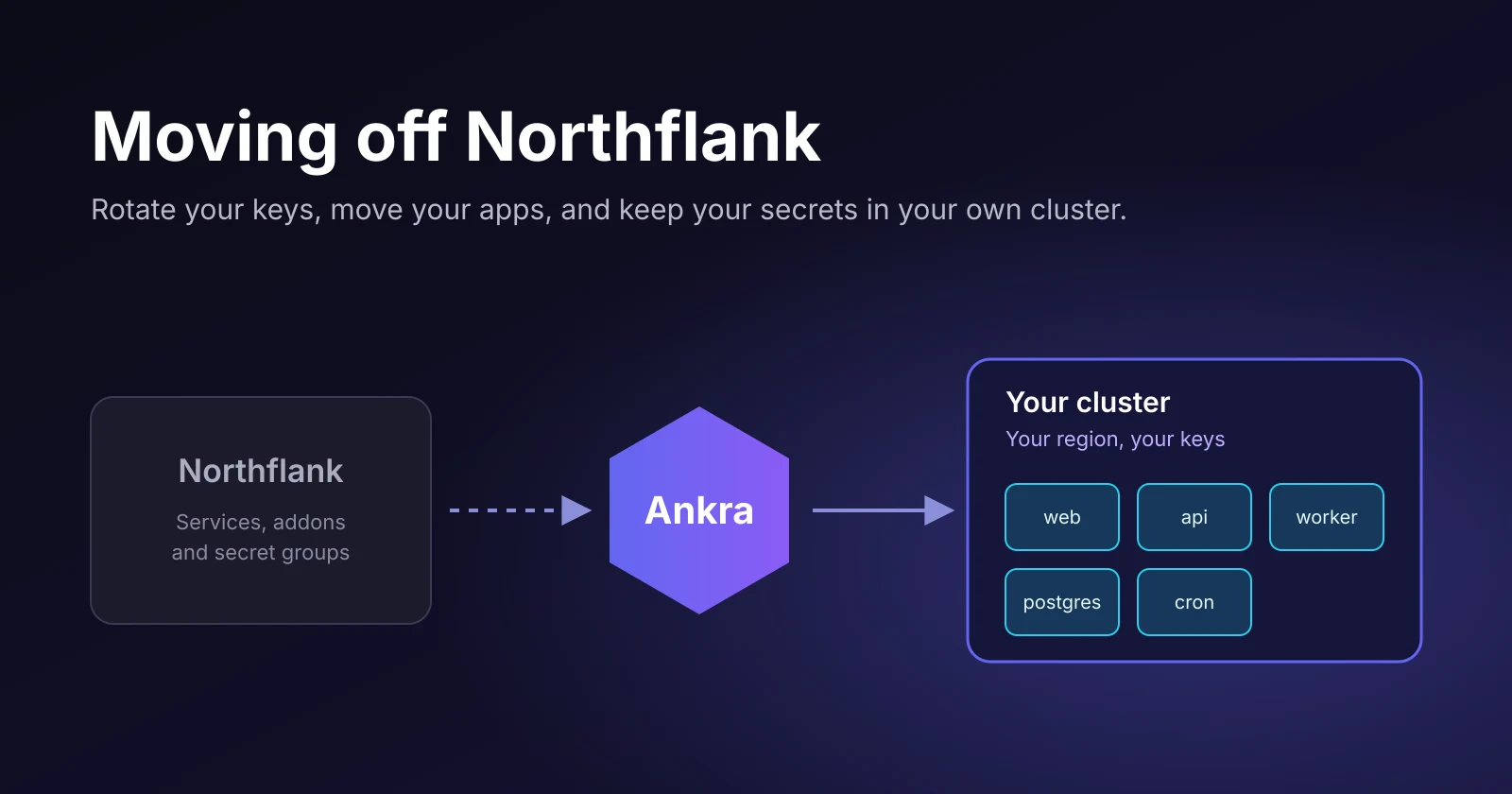
If you’re weighing a move, the first question is how hard it is to leave. For most apps, not very. This post walks through the move the way it actually feels, without the jargon.
Start with your keys, not your apps
Before you move anything, rotate every secret that lived on Northflank. That means database passwords, Stripe and payment keys, cloud credentials, AI provider keys and webhook secrets. Rotate each one with whoever issued it, so the old value stops working everywhere.
It feels like the boring part, but it’s the part that actually protects you. Moving a leaked key to a new platform doesn’t fix the leak. And because you’ll set fresh values on Ankra anyway, there’s nothing to export.
The move, in five steps
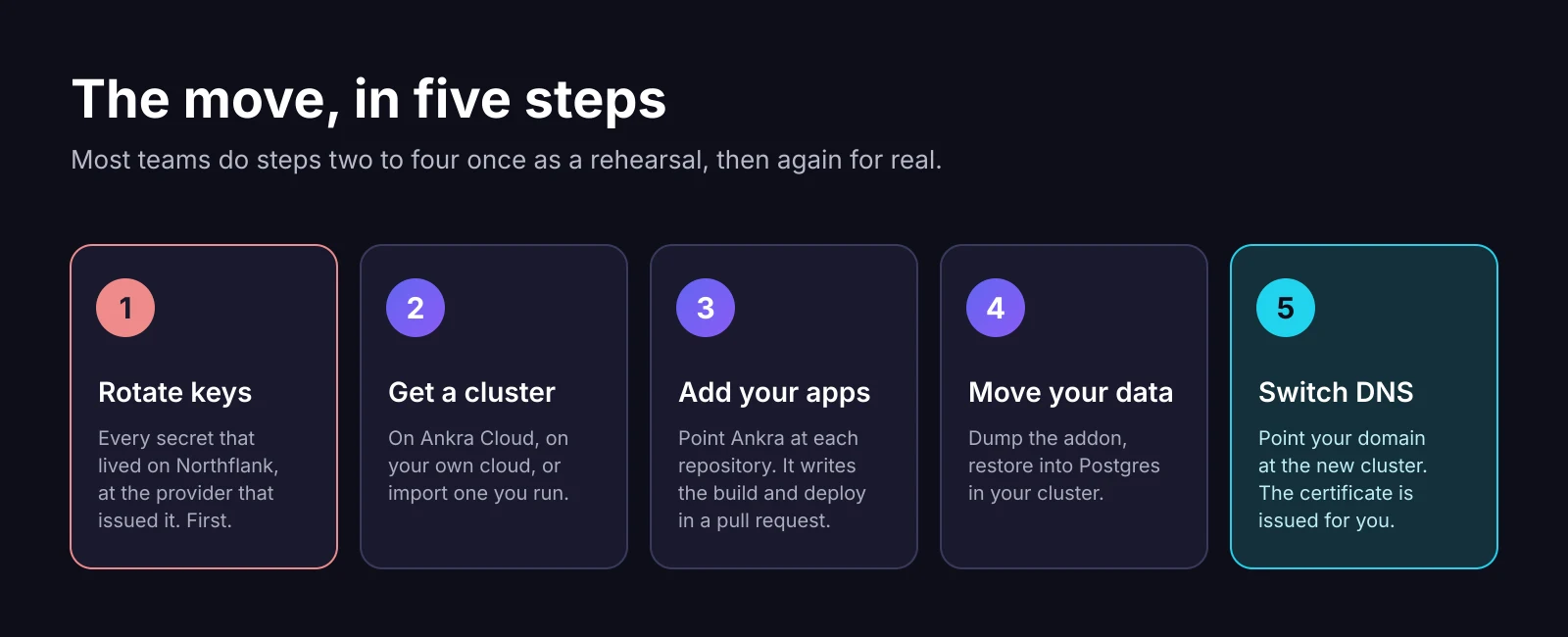
1. Rotate your keys
Covered above. Do it first.
2. Get a cluster
If you liked that Northflank ran everything for you, use Ankra Cloud. It’s our own cloud, and Ankra runs the cluster for you. It is in closed beta. The smallest option is a dev cluster: one server, no control plane fee, and meant for development rather than production.
ankra cluster managed create --provider ankracloud_k8s --dev-cluster \ --name shop-dev --location se-sto1 --node-pool-size starter-4c-8gIf you’d rather stay on AWS, Hetzner, OVHcloud, UpCloud or DigitalOcean, Ankra builds the cluster there instead. And if you used Northflank’s bring your own cloud, you can import the cluster you already have. The first 30 worker vCPUs are free on every plan.
3. Add your apps
From each repository, run one command.
ankra application add .Ankra looks at the code and opens a pull request with everything it needs to build and run it. If you already have a Dockerfile, it uses yours. You review it like any other pull request and merge it. That’s the setup.
From then on, every push runs tests, builds the image inside your own cluster and scans it for vulnerabilities before anything ships.
Then set your new secrets. They’re sealed into the app and never shown again, and once the app is deployed, apply puts them on it.
printf '%s' "$NEW_STRIPE_KEY" | ankra application env-secrets set <app> STRIPE_KEYankra application env-secrets apply <app>4. Move your data
Your database moves into your own cluster, run by CloudNativePG, with backups going to a storage bucket you own. Copying the data is a dump from Northflank and a restore on Ankra, in one line.
pg_dump --no-owner "$NORTHFLANK_DATABASE_URL" \ | ankra cluster exec shop-db-1 -n shop -c postgres --stdin -- psql -U postgres -d shopWhat you pipe into ankra cluster exec is kept in the session’s audit record, so for a database with sensitive data, restore from inside the cluster instead, for example from a dump in a bucket you own. Do it once as a practice run. You’ll learn how long it takes, and that number is the length of your maintenance window.
5. Switch DNS
Pause your Northflank services, run the final copy of the data, and point your domain at the new cluster. On a cluster with Ankra’s networking stack, the HTTPS certificate is issued for you. Keep Northflank paused, not deleted, for a few days in case you want to compare anything.
Everything you used has a home
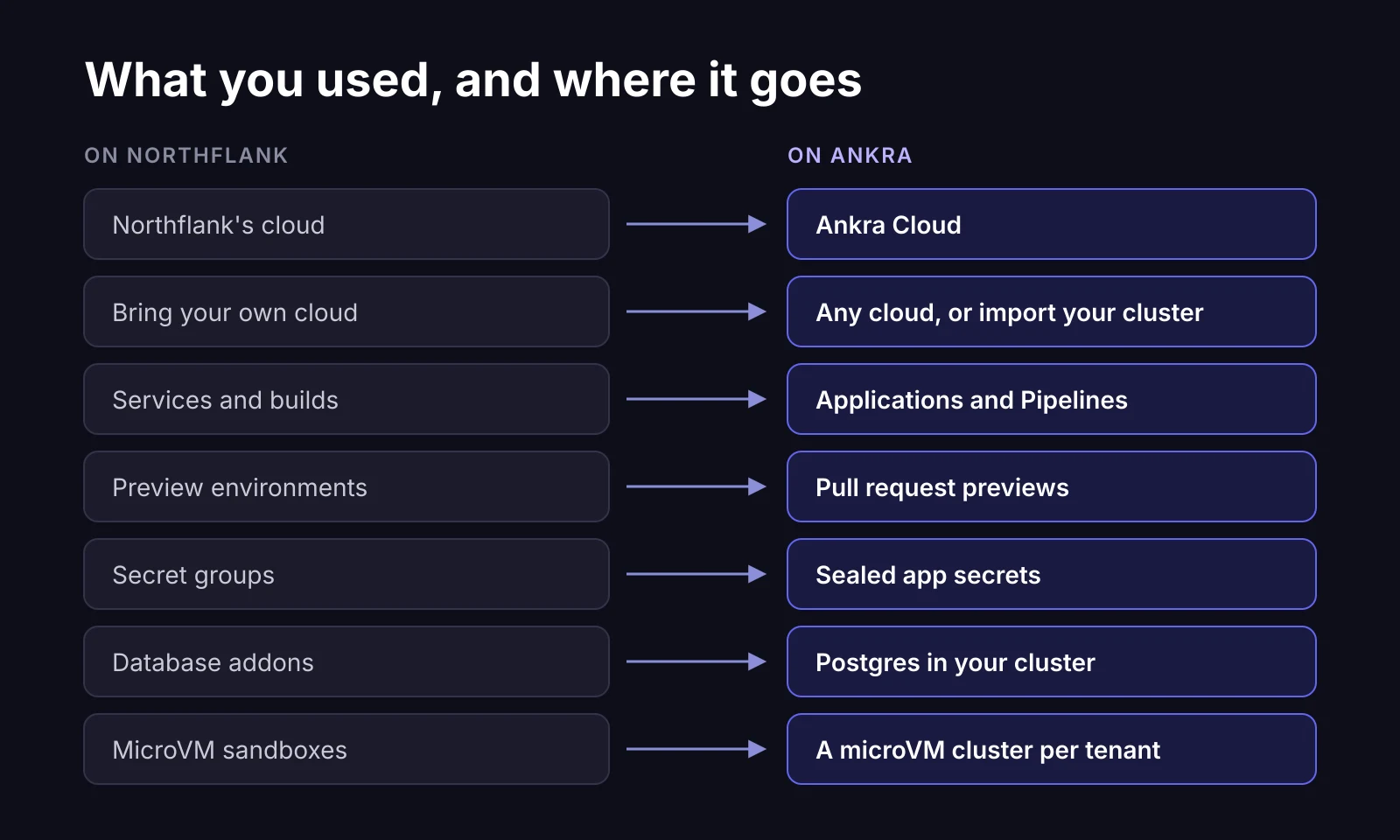
Preview environments carry over too. Once an admin turns previews on and picks a staging cluster, every pull request gets its own link, posted right on the pull request.
Running untrusted code? Give it its own virtual machine
Some teams chose Northflank because they run code they didn’t write: AI agents, customer scripts, one environment per customer.
On Ankra Cloud, every server is a KVM virtual machine run by Cloud Hypervisor. A dev cluster is a whole Kubernetes cluster inside one of them, starting at 2 GiB of memory. Give each customer or sandbox its own small cluster and it gets its own kernel, its own API and its own network. If something breaks out of a container, it is still inside that tenant’s VM, not on a server shared with other tenants.
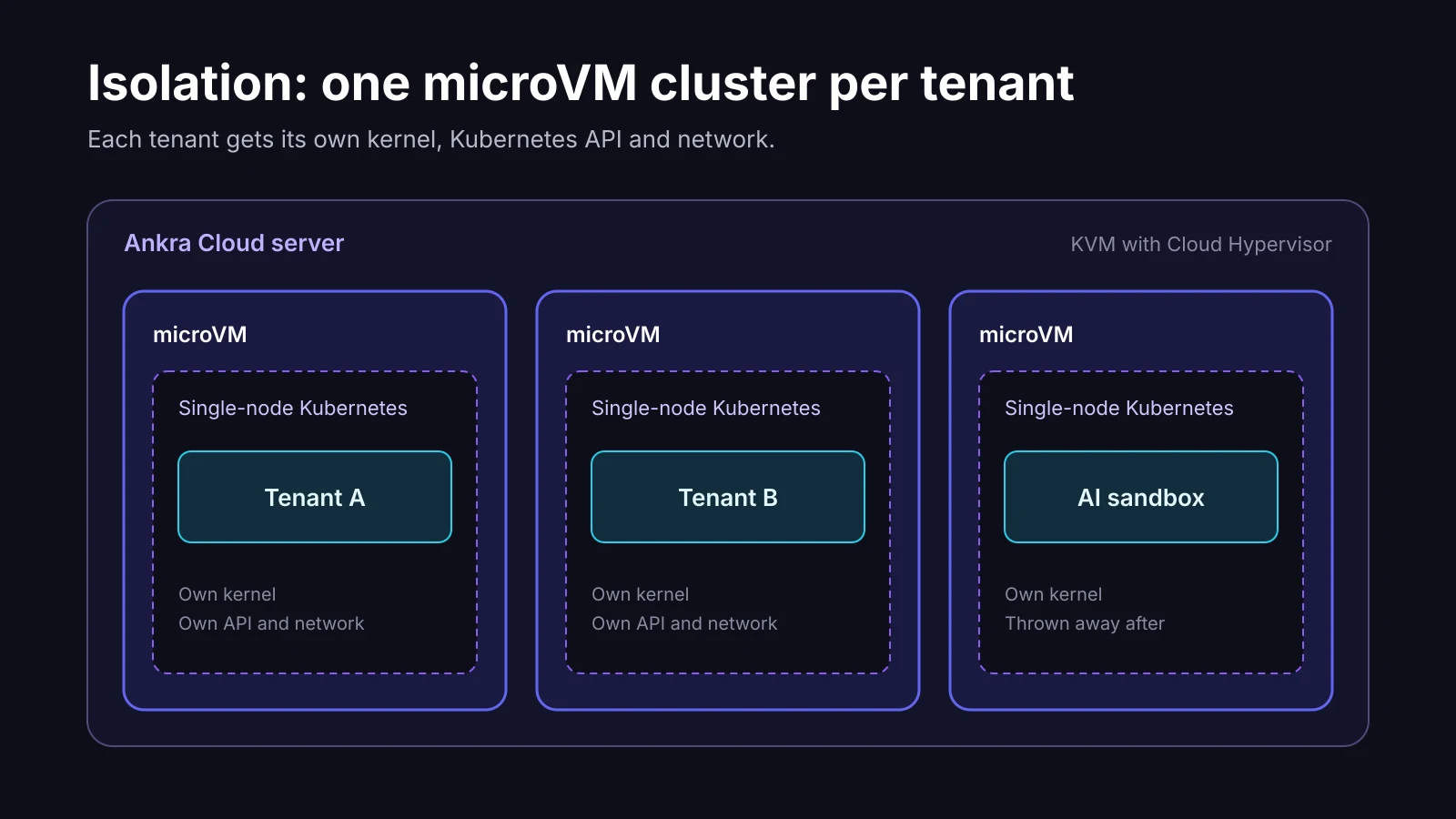
Clusters are quick to create and delete, so you can make one per job and throw it away when the job is done.
What day two feels like
Once you’ve moved, things get quieter. You push code, and a pull request shows the test results, the security scan and a preview link. Merging ships it to development. Promoting to production is a button, and it ships the exact image you tested.
When a build fails, Ankra’s AI looks at why and often opens the fix as a pull request. When an alert fires, it arrives with an explanation of what changed. By default, nothing the AI wants to change happens until a person says yes.
And your secrets stay where they belong. Your apps run in your own cluster. Ankra’s view of that cluster keeps only fingerprints of your secrets, never the values, and the AI never sees them.
One honest caveat
If you leaned on Northflank’s managed database addons and don’t want to run a database operator yourself, know that Ankra’s own managed databases are still in closed beta, as is Ankra Cloud as a provider. CloudNativePG covers Postgres well today, and we’re happy to help you set it up.
Ready to move?
Pick one service, the smallest one, and move it first. Create a free account and run ankra application add . in its repository. You’ll know quickly whether the rest should follow, and if you get stuck, talk to us.
Get the next post in your inbox
Related Posts
Kubernetes MCP Servers in 2026: Kubeconfig-Based vs Hosted, Compared
Seven Kubernetes MCP servers compared, from kubernetes-mcp-server and mcp-server-kubernetes to the EKS, AKS and GKE servers and Ankra's hosted one.
From AI-Built App to Production in 2026: Where to Run What You Made with Cursor, Claude Code or Lovable
Take an app built with Cursor, Claude Code, Lovable, Bolt or Replit to production in 2026. What production adds, the hosting routes compared, how to pick.